



The AI Feature Graveyard: What SaaS Companies Keep Getting Wrong
Most AI features in SaaS products fail because they solve novelty problems, not daily problems. Users try them once, say "neat," and never come back. This post breaks down why the AI churn wave is killing SaaS growth, why AI wrappers are doomed, and why boring CRUD apps are outperforming AI-native products. Includes checklists, cost breakdowns, and a framework for evaluating whether your AI feature belongs in your product or in the graveyard.
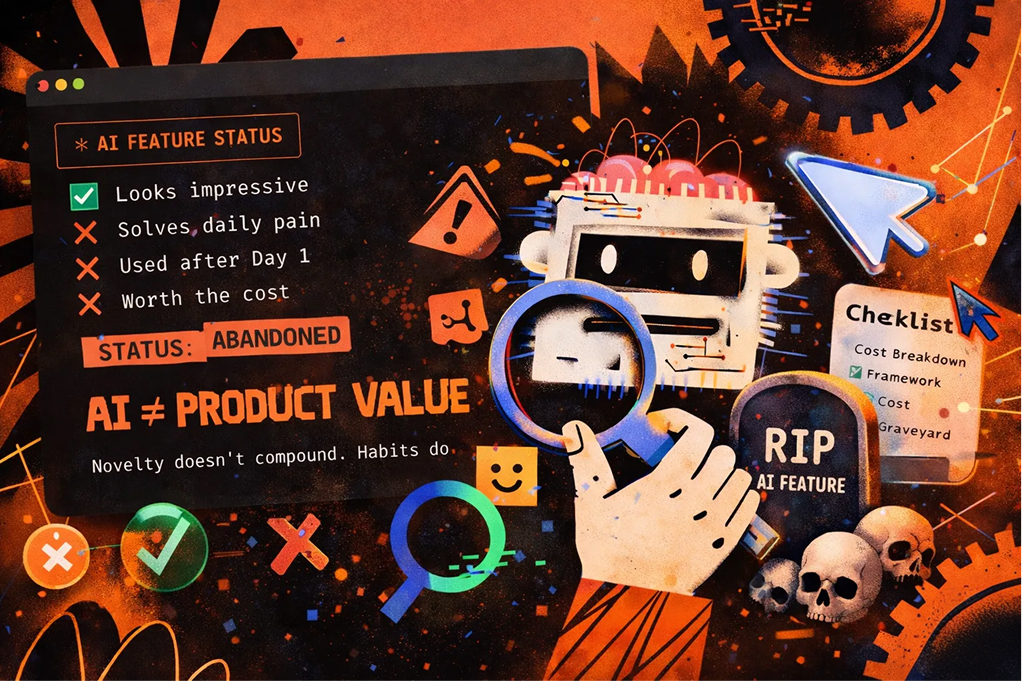
Table of Contents
- The AI Churn Wave Nobody Wants to Talk About
- Why AI Features Fail: The Fugazi Factor
- The AI Wrapper Problem: Building on Quicksand
- Super Assistants Are Eating Your Lunch
- What Actually Works: The Boring Software Comeback
- The Real Cost of Getting AI Wrong
- How to Evaluate Your AI Feature (Honest Checklist)
- The Path Forward: Build Value, Not Hype
- FAQ
Quick Answer: Most AI features in SaaS products fail because they don't solve urgent problems or strengthen retention. They're "fairy dust" additions that create a brief wow moment but no lasting value. The winners in 2025? Boring CRUD apps that solve real problems, and super assistants like Claude Desktop that outperform in-app AI buttons.
Your AI feature isn't working. And deep down, you probably know it.
You added an "AI-powered" something to your product. Maybe it summarizes content. Maybe it generates suggestions. Maybe it does... something with machine learning that the product team was really excited about six months ago.
But here's the uncomfortable question: Is anyone actually using it? More importantly, is it making you money or keeping customers around longer?
If the answer is no to both, congratulations. You've built what I call a "graveyard feature." It's fugazi. Fairy dust. It's never landed. And you're not alone.
The AI Churn Wave Nobody Wants to Talk About
Here's a number that should make product leaders nervous: AI-native apps and AI features experienced significantly higher churn rates in late 2024 and 2025 compared to traditional SaaS products.
The SaaS Retention Report from ChartMogul calls this "The AI Churn Wave." They found something fascinating and terrifying. Users come for the novelty. They try the shiny AI button once. Then they leave.
It's the "tourist effect." People visit your AI feature like they'd visit a tourist trap. Take a photo, say "neat," and never come back.
Sandy Diao's analysis on AI retention puts it bluntly: AI products over-optimize for activation (the "wow" moment) while completely failing at building habits or recurring value. You get a spike in signups. Your activation metrics look incredible. Then your retention curves collapse.
Why does this happen?
Because most AI features don't solve a problem users have every day. They solve a problem users have once, maybe twice. And that's not a business.
The Retention Reality Check
| Metric | Traditional SaaS | AI-Native/AI Features |
|---|---|---|
| Day 1 Activation | 40-50% | 60-70% (higher curiosity) |
| Day 30 Retention | 25-35% | 10-20% (tourist effect) |
| Day 90 Retention | 15-25% | 5-12% (dramatic drop) |
| Revenue per User | Stable growth | Peaks then declines |
The numbers tell a brutal story. AI features are great at getting people excited. They're terrible at keeping people around.
Webapper's research on AI-driven churn found that AI features often confuse pricing, clutter the UX, and erode user trust. Instead of making products stickier, they make them messier.
So what's going wrong?
Why AI Features Fail: The Fugazi Factor
Let me introduce you to the Fugazi Factor. It's my term for AI features that look impressive in demos but deliver zero business value.
Fugazi. Fairy dust. A woozie. It's never landed.
Voidweb's post-mortem on AI SaaS failures in 2025 identified the core problem: overgeneralization. Companies bolted "AI magic" onto their products without asking whether users actually needed magic in that specific place.
The result? Features that were "practically useless" compared to dedicated tools that did one thing well.
Here's the pattern I see over and over:
Step 1: Product team gets excited about AI
Step 2: They add an AI feature to an existing workflow
Step 3: Users try it once
Step 4: Users realize it's slower/worse than their existing solution
Step 5: Users ignore it forever
Step 6: Feature sits in the graveyard, costing you compute money
The Fugazi Feature Checklist
Ask yourself these questions about your AI feature:
- Does it solve a problem users have daily (not weekly or monthly)?
- Is it faster than the non-AI alternative?
- Would users pay extra specifically for this feature?
- Does it improve a core workflow or just add a sidebar novelty?
- Can users accomplish the same thing with ChatGPT or Claude in 30 seconds?
If you answered "no" to three or more, you've built a graveyard feature.
Gainsight's research with investors confirms this pattern. AI MRR (monthly recurring revenue) often masks weak engagement. Companies report revenue growth from AI features, but the underlying usage is fragile. One bad experience and users are gone.
The honest truth? Most AI features are solutions looking for problems. And that's backwards.
The AI Wrapper Problem: Building on Quicksand
Now let's talk about an even riskier category: AI wrappers.
You know the type. "ChatGPT for lawyers." "Claude for marketers." "GPT-4 for [insert industry]." They're everywhere. And most of them are doomed.
BUD Ecosystem published a devastating case against AI wrapper companies that every founder should read. Their argument is simple: if your entire product is a thin layer on top of OpenAI or Anthropic's API, you have no moat. Worse, you're literally training away your own advantage.
Every prompt you send to the model helps the model get better. And when the model gets better, it doesn't need your wrapper anymore.
In AI Today's warning about wrappers echoes this concern. These tools lack proprietary value, security advantages, or meaningful backend logic. They're "HTML prompt wrappers" pretending to be real software.
The AI Wrapper Survival Rate
MKT Clarity's analysis of the wrapper market in 2025 found that only wrappers with deep UX integration or unique data actually survive. The rest get commoditized within 12-18 months.
| Wrapper Type | 2-Year Survival Rate | Why |
|---|---|---|
| Generic "ChatGPT for X" | <10% | No differentiation |
| Deep workflow integration | 40-50% | Solves specific problem |
| Proprietary data advantage | 60-70% | Model can't replicate |
| Pure API pass-through | <5% | Zero moat |
The dev.to post-mortem on AI startup failures calls this the "AI Wrapper Boom." Companies shipped prompts with a UI instead of solving concrete problems. They forgot that users don't pay for technology. Users pay for outcomes.
Even the Reddit community sees through it. A popular thread on r/Entrepreneur asked the obvious question: "Why is everyone building AI wrappers? Does anyone actually use these?" The responses were brutal. More people building wrappers than using them.
Meanwhile, ai-wrappers.com's catalog of top wrappers in 2025 shows what's trending. It's a useful list, but reading it ironically is more instructive. How many of these will exist in two years?
The lesson here isn't "don't build AI products." It's "don't build products where AI is the only value prop."
Super Assistants Are Eating Your Lunch
Here's where things get really uncomfortable for SaaS companies.
While you've been bolting AI features onto your product, the AI companies themselves have been building super assistants. And those assistants are starting to do what your features do, but better.
Claude just launched CoWork. Google keeps expanding Gemini's capabilities. ChatGPT can now browse the web, execute code, and interact with files.
Agents Decoded's analysis of super assistants makes a prediction that should scare every SaaS founder: these assistants will increasingly route work across tools and APIs, threatening legacy SaaS whose AI features are just slower frontends to the same models.
Think about that. Your "AI-powered" feature is using GPT-4 or Claude under the hood. But users can just... use GPT-4 or Claude directly. Often faster. Often with more flexibility.
The ClickUp Problem
I'll be specific here because I use ClickUp. Their AI features? Useless. At least for me.
Why? Because by the time I navigate to the AI button, wait for it to process, and review the output, I could have just asked Claude directly and gotten a better answer.
Notion might be different. I've heard good things. But the pattern holds: if your in-app AI is just a worse version of the standalone model, users will figure that out fast.
Elephas reviewed Claude CoWork and found it promising but limited in its current state. It's beta, it's pricey, and it often fails to deliver on the "virtual colleague" promise. But the trajectory is clear. These tools are getting better fast.
O-Mega AI's guide to Claude CoWork explains what makes it different from regular chat. The folder becomes the context window. Claude can create outputs directly in your workspace. It's not just answering questions. It's doing work.
Generation Digital's overview frames CoWork as a "junior assistant" that might eventually outperform many in-app AI features. Not today. But soon.
Can Claude Desktop Beat Your AI Feature?
This is the question every product team should ask: Can a user with Claude Desktop or MCP (Model Context Protocol) drive better results than your in-app solution?
For most SaaS products, the honest answer is yes. And that's terrifying.
If I want to summarize a document, Claude Desktop does it faster than your embedded AI.
If I want to generate content, Claude Desktop gives me more control.
If I want to analyze data, Claude Desktop with MCP can connect directly to my files.
Your in-app AI button? It's a middleman adding friction, not removing it.
What Actually Works: The Boring Software Comeback
Here's the plot twist nobody expected in 2025: boring software is winning.
Not AI-native. Not "powered by GPT-4." Just good old CRUD apps that solve urgent problems.
The SaaS Barometer's analysis of SaaS vs AI-native software makes a critical point. The infrastructure players (Anthropic, OpenAI, Google) are capturing the real value. Everyone building on top of them is in a "dangerous middle ground."
Unless you have a massive proprietary data advantage, your AI features will always be inferior to the models themselves. So why compete?
Codelevate's take on AI-native requirements admits something important even while championing AI-native approaches: forcing AI into workflows where it doesn't belong fails. Hard.
The winning formula isn't "add AI everywhere." It's "solve the urgent problem, with or without AI."
The CRUD Advantage
What makes boring CRUD software win?
Reliability. It does the same thing every time. No hallucinations. No "that's not what I asked for."
Speed. A well-designed form is faster than typing a prompt and waiting for generation.
Predictability. Users know exactly what they'll get. No surprises.
Retention. When software solves a daily problem reliably, users stick around. No tourist effect.
Boring vs. AI-Native: A Comparison
| Factor | Boring CRUD App | AI-Native App |
|---|---|---|
| Day 1 excitement | Low ("it's a form") | High ("it's magic!") |
| Day 30 usage | High (solves daily problem) | Low (novelty wore off) |
| Support tickets | Low (predictable behavior) | High (unexpected outputs) |
| Compute costs | Minimal | Significant (API calls) |
| Competitive moat | Workflow + data | Usually none |
| Revenue stability | High | Volatile |
The boring app wins on every metric that matters for building a sustainable business.
This doesn't mean AI is useless. It means AI needs to enhance a solid foundation, not replace it.
The Real Cost of Getting AI Wrong
Let's talk money. Because AI features aren't free.
Reco.ai's analysis of hidden generative AI costs breaks down what companies underestimate:
Compute costs. Every API call costs money. At scale, this adds up fast. A feature that saves users 5 minutes but costs you $0.50 per use? You might be losing money on every interaction.
Data risk. Sending user data to third-party AI providers creates compliance headaches. GDPR, HIPAA, industry-specific regulations. Legal fees add up.
Governance complexity. Who reviews AI outputs? Who's liable when the AI gives bad advice? Most companies don't have answers to these questions.
Engineering overhead. AI features require constant maintenance. Models get updated. Prompts need tuning. Edge cases multiply.
The True Cost Breakdown
| Cost Category | Often Estimated | Actually Costs |
|---|---|---|
| API calls (monthly) | $500-2,000 | $2,000-15,000 |
| Engineering maintenance | 10% of one dev | 50%+ of one dev |
| Legal/compliance review | $0 | $10,000-50,000/year |
| Support increase | None | 20-40% more tickets |
| Security audit | Normal cycle | Additional $15,000-30,000 |
Xenoss's AI year in review notes both breakout successes and catastrophic failures. The difference? The winners built AI into core workflows where it delivered measurable value. The losers sprinkled AI everywhere hoping something would stick.
Hope isn't a strategy. And AI isn't free.
How to Evaluate Your AI Feature (Honest Checklist)
Before you build another AI feature, or decide what to do with the one you have, run through this checklist.
The Graveyard Risk Assessment
Revenue Impact:
- Does this feature directly generate new revenue?
- Would customers pay 10%+ more for it?
- Has it created any upsell opportunities?
Retention Impact:
- Do users who engage with this feature retain better?
- Is it part of daily/weekly workflows (not just tried once)?
- Would users complain loudly if you removed it?
Competitive Position:
- Can users get the same result from ChatGPT/Claude directly?
- Is your implementation faster than the standalone model?
- Do you have proprietary data that makes your AI better?
Cost Reality:
- Have you calculated actual cost per use?
- Is the feature profitable at current usage levels?
- Does increased usage improve or hurt your margins?
Scoring Your Feature
- 12+ yes answers: Your AI feature might actually work. Keep investing.
- 8-11 yes answers: Proceed with caution. Look for ways to deepen value.
- 4-7 yes answers: You've probably built a graveyard feature. Consider sunsetting.
- 0-3 yes answers: Kill it. Redirect resources to something that matters.
Most honest teams score 4-7. And that's okay. Better to know now than keep pouring money into a hole.
The Path Forward: Build Value, Not Hype
So what should you actually do?
Phoenix Strategy Group's take on AI for retention offers a useful reframe. AI works for retention when it sits in the data and ops layer, not as a shiny in-app text box.
Use AI to:
- Predict which customers are about to churn
- Identify upsell opportunities automatically
- Personalize outreach at scale
- Analyze support tickets for product insights
Don't use AI to:
- Add a chatbot nobody asked for
- "Enhance" a workflow that was working fine
- Chase the "AI-powered" label for marketing purposes
- Compete with ChatGPT on general capabilities
The 90-Day AI Reality Check
If you're considering adding AI to your product, here's a framework:
Days 1-30: Identify the urgent problem
Don't start with "where can we add AI?" Start with "what's the most painful part of our users' day?" If AI can make that specific thing 10x better, proceed. If not, stop.
Days 31-60: Build and test with real users
Create the smallest possible version. Get it in front of 10 users who experience the pain daily. Watch them use it. Do they love it, or do they try it once and forget?
Days 61-90: Measure ruthlessly
Track retention for users who engage vs. those who don't. Calculate true cost per use. Ask: would users pay extra for this? If the answers are weak, kill it before you've invested more.
Need help running this process? Our 90-Day Digital Acceleration program is designed exactly for this. We help you validate, build, and ship in one quarter. No 18-month roadmaps. No graveyard features.
Timeline: From Idea to Validated AI Feature
| Week | Activity | Deliverable |
|---|---|---|
| 1-2 | Problem validation interviews | Pain point confirmed (or killed) |
| 3-4 | Prototype development | Working demo for testing |
| 5-6 | User testing (10+ users) | Usage data + feedback |
| 7-8 | Iteration based on feedback | Improved version |
| 9-10 | Expanded rollout | 50+ users, retention data |
| 11-12 | Revenue/retention analysis | Go/no-go decision |
Most companies skip weeks 1-6 and wonder why their AI feature flopped. The problem wasn't the technology. It was the process.
Avoiding the Graveyard: What Winners Do Differently
The companies getting AI right share common traits:
They start with the problem, not the technology. They don't ask "how can we use AI?" They ask "what's the most painful thing our users deal with?" If AI helps solve it, great. If not, they build something else.
They measure ruthlessly. Not vanity metrics like "AI feature engagement." Real metrics: retention lift, revenue per user, willingness to pay.
They know when to kill. A feature that doesn't move business metrics after 90 days gets cut. No emotional attachment. No sunk cost fallacy.
They focus on workflow, not wow. The goal isn't impressive demos. It's making users' daily work faster and easier.
If you want to validate an AI concept fast, our 2-Week Design Sprint forces decisions through tangible prototypes. No endless debates. Real feedback from real users in 14 days.
Pros and Cons: Should You Build an AI Feature?
Pros:
- Genuine competitive advantage if you have proprietary data
- Can solve previously impossible problems
- Marketing differentiation (for now)
- Users expect AI in modern software
Cons:
- High risk of building a graveyard feature
- Compute costs can destroy margins
- Super assistants may outperform your implementation
- Requires constant maintenance as models evolve
- Most features fail to impact retention or revenue
The honest assessment? Build AI features only when you have a clear, urgent problem that AI solves 10x better than alternatives. Otherwise, build boring software that works.
FAQ
Why do most AI features in SaaS products fail?
Most AI features fail because they solve novelty problems, not daily problems. Users try them once for the "wow" factor, then return to their normal workflows. Without solving an urgent, recurring need, AI features become graveyard features that cost money and deliver nothing.
How do I know if my AI feature is working?
Measure three things: retention lift (do users who engage retain better?), revenue impact (does it drive upsells or justify higher pricing?), and daily usage (is it part of workflows or a one-time novelty?). If all three metrics are flat or negative, your feature isn't working.
What's the difference between AI wrappers and real AI products?
AI wrappers are thin interfaces on top of models like GPT-4 or Claude with no proprietary value. Real AI products combine models with unique data, deep workflow integration, or specialized domain expertise that users can't replicate by using the base model directly.
Can Claude Desktop or ChatGPT replace my in-app AI features?
For many use cases, yes. If your AI feature is essentially a prompt with a nice UI, users can get the same result from standalone assistants faster and with more flexibility. Your feature only wins if it provides unique data access, workflow integration, or speed advantages.
Should I add AI to my SaaS product in 2025?
Only if you've identified a specific, urgent problem that AI solves dramatically better than alternatives. Don't add AI for marketing purposes or because competitors have it. Start with the problem, validate with real users, and measure ruthlessly. Most AI features fail because teams skip this process.
About the Author
Behrad Mirafshar is Founder & CEO of Bonanza Studios, where he turns ideas into functional MVPs in 4-12 weeks. With 13 years in Berlin's startup scene, he was part of the founding teams at Grover (unicorn) and Kenjo (top DACH HR platform). CEOs bring him in for projects their teams can't or won't touch, because he builds products, not PowerPoints.
Connect with Behrad on LinkedIn
Ready to Build Something That Actually Works?
If you're tired of graveyard features and want to build software that drives real business results, let's talk.
Skip the 18-month roadmap. Skip the endless debates about AI strategy. Start with the problem, build fast, and measure what matters.
Book a free strategy call and let's figure out whether your next feature belongs in a product or a graveyard.
.webp)
Evaluating vendors for your next initiative? We'll prototype it while you decide.
Your shortlist sends proposals. We send a working prototype. You decide who gets the contract.


